
Image Metadata for Google AI Overviews: The GEO Guide to Better CTR
Learn how primaryImageOfPage, Open Graph images, and schema markup influence the thumbnails Google selects for search results and AI Overviews.
Published Updated 12 min read

Founder, GrowthMarketing.ai
15+ years of experience
Emre Elbeyoglu is a B2B SaaS growth expert and Founder of GrowthMarketing.ai. With 15+ years of SEO and GEO experience, he studies search and AI ranking systems to support growth work for brands including Rakuten and Investing.com. He has also bootstrapped SaaS products including Popupsmart and LiveChatAI.
- Computer Technology & Information Systems, Bilkent University
- Co-founder & Growth Lead, Popupsmart (since 2019)
- Co-founder, LiveChatAI (since 2023)
Share article
Explore with AI
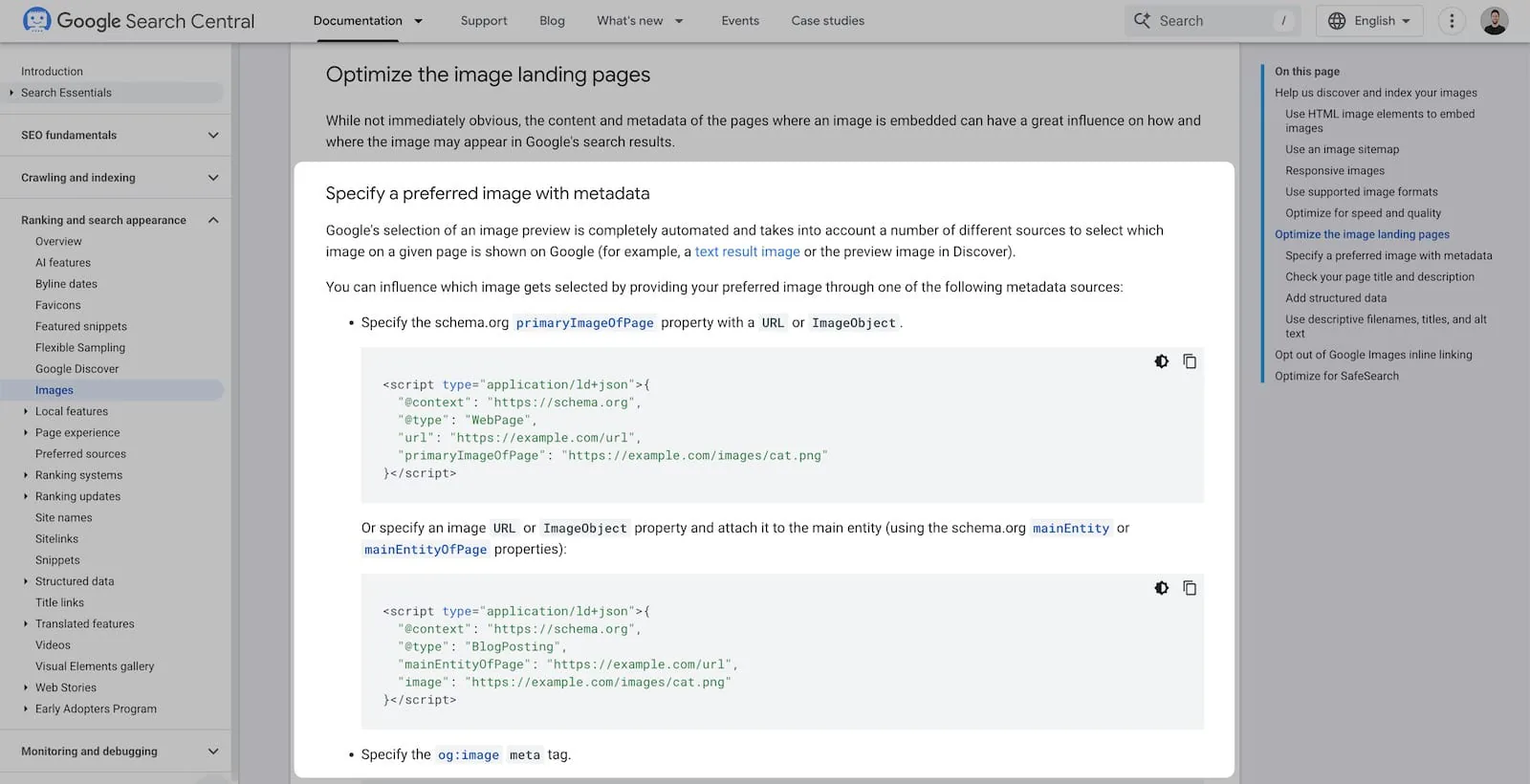
Google now lets you control which image thumbnail appears in AI Overviews, Search results, and Discover through three metadata methods: primaryImageOfPage schema markup, mainEntityOfPage image properties, and the og:image meta tag.
Pages with comprehensive schema markup are 36% more likely to appear in AI-generated summaries, according to research from Princeton and Georgia Tech's GEO study presented at KDD 2024. Combined with proper image optimization, these metadata signals directly influence whether users click your listing or scroll past it.
Why Does Image Metadata Matter for AI Overview CTR in 2026?
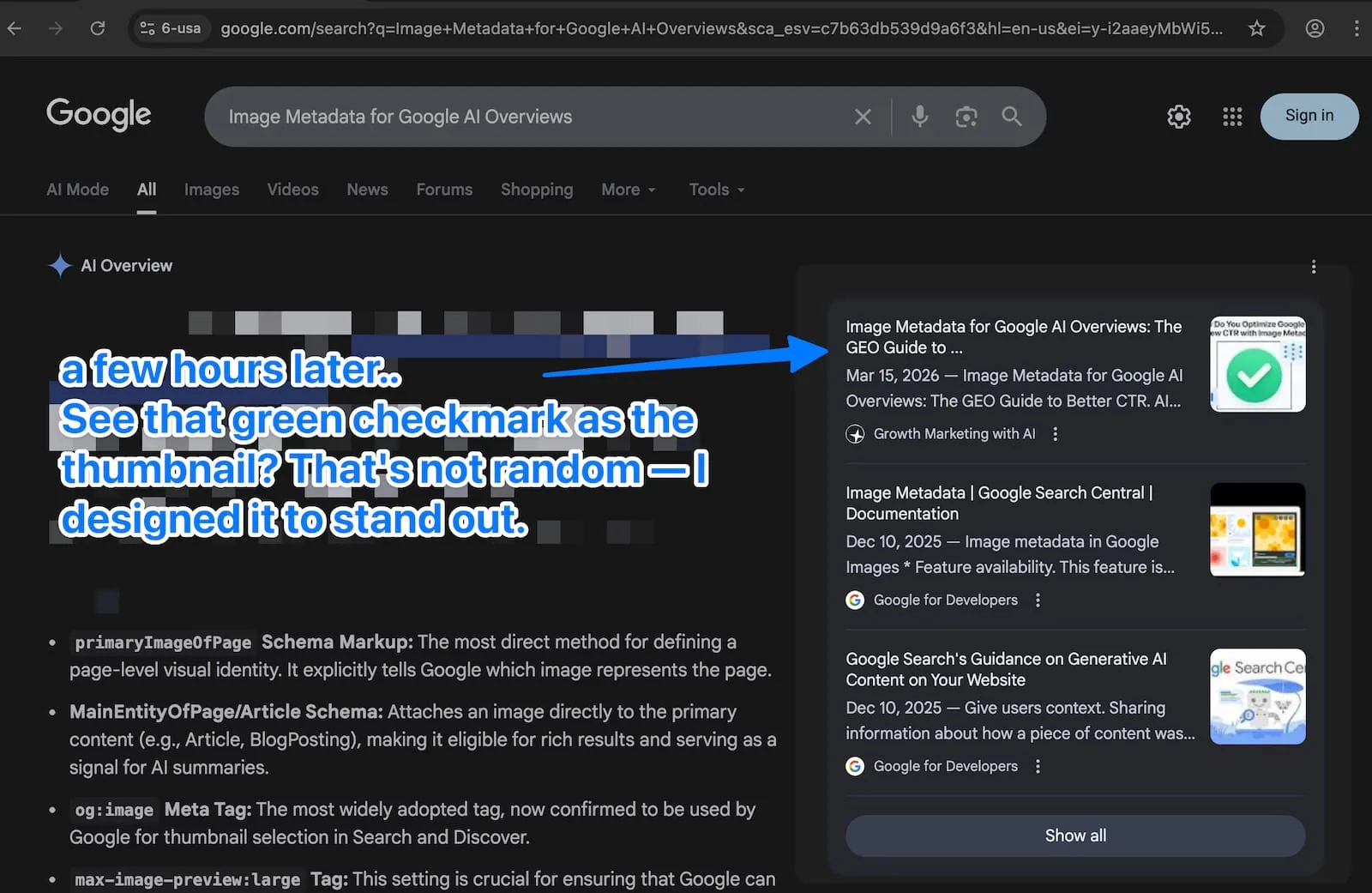
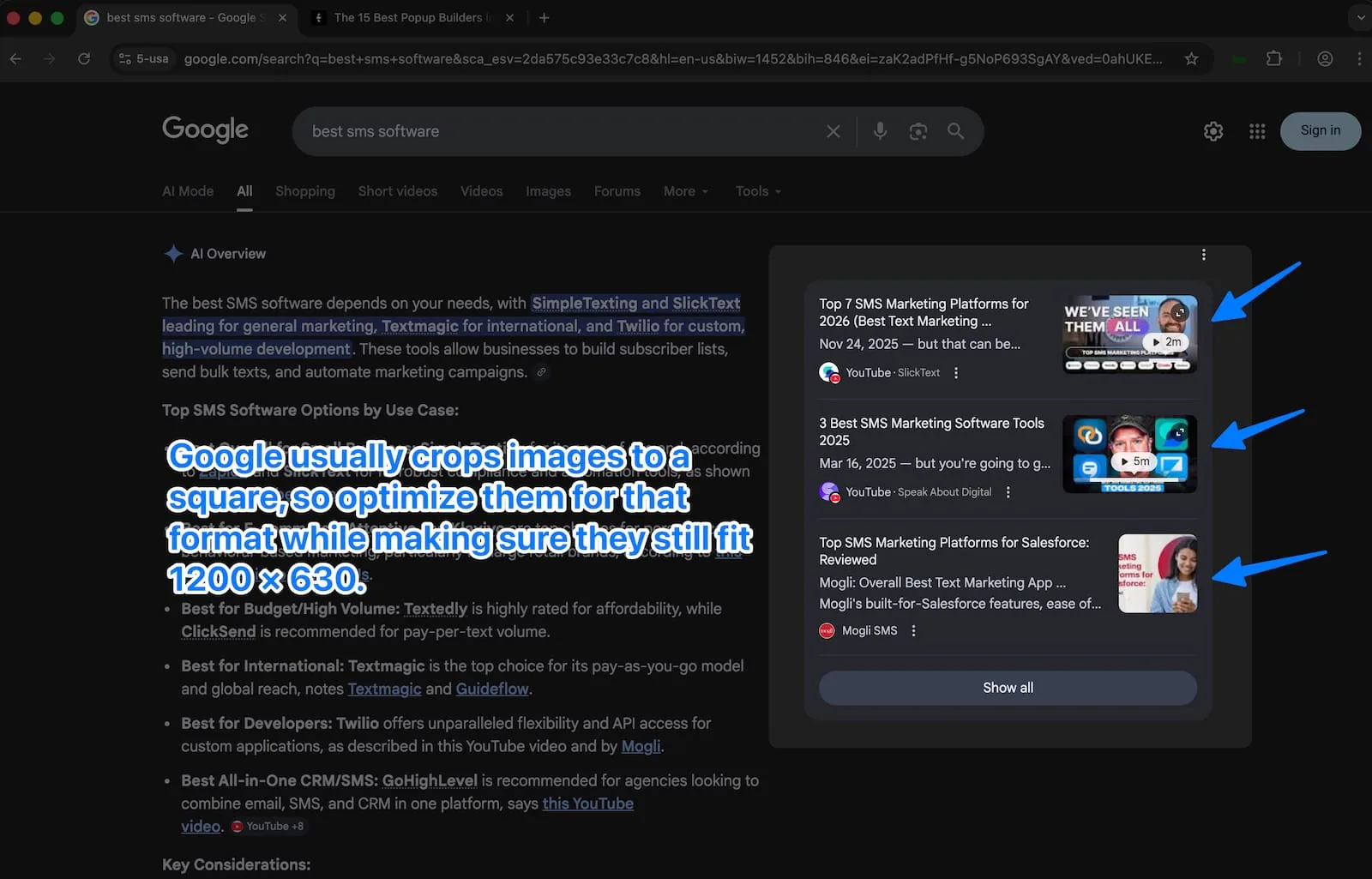
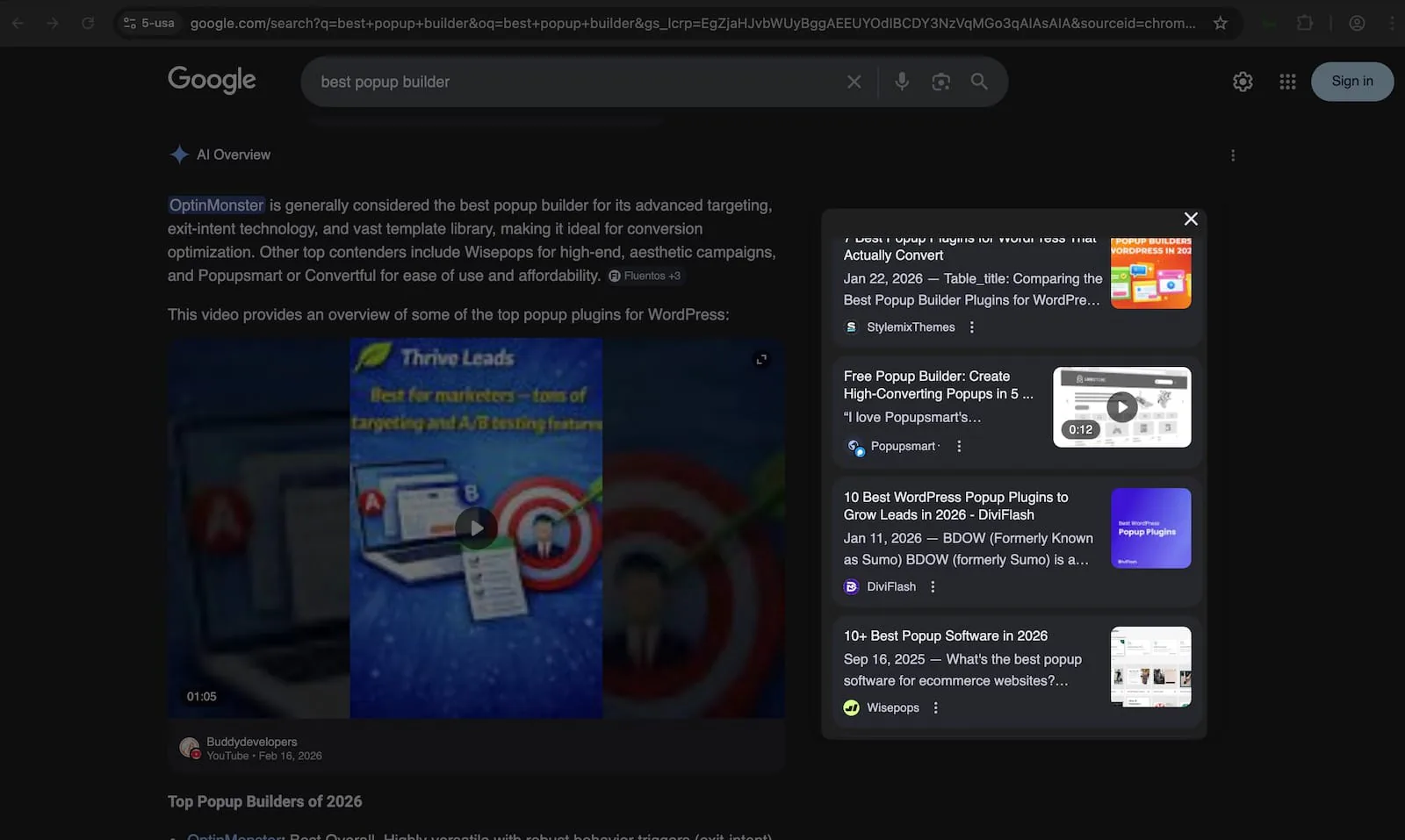
So where do images fit into this? When Google cites your page in an AI Overview, it displays your site name, page title, and a thumbnail image alongside the citation link. That thumbnail is selected using the same automated logic Google uses for Search and Discover and it's now directly influenced by the metadata you provide.
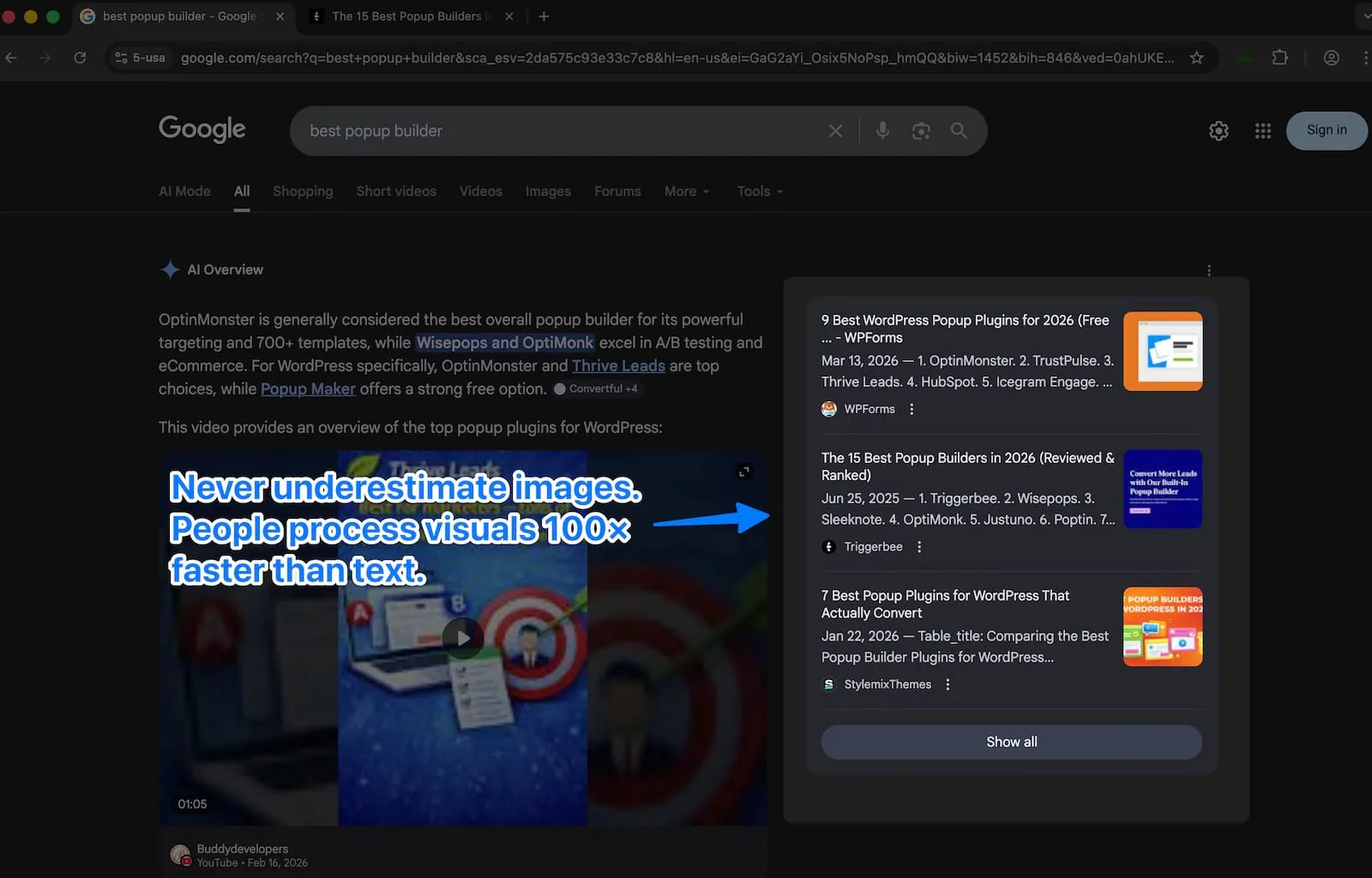
I've been testing these metadata signals across multiple sites since Google published the update, and the difference between a sharp, relevant thumbnail and a blurry fallback image is measurable in click-through performance. When 3 to 6 sources share the spotlight in a single AI Overview, visual differentiation is one of the few competitive levers you actually control.
What Did Google Change? The New Image Metadata Documentation
Google added a section titled "Specify a preferred image with metadata" to their image SEO best practices documentation in early March 2026. According to Search Engine Journal's coverage, Google stated the changes were made "based on feedback" to clarify how publishers can influence thumbnail selection.
This matters because Google Discover alone accounts for significant traffic volumes for publishers.
What Are the Three Metadata Methods Google Supports?
Method 1: How Do You Use the primaryImageOfPage Schema Property?
The primaryImageOfPage property is the most explicit page-level image signal available in the Schema.org vocabulary. It attaches directly to a WebPage entity and tells Google which image represents the page as a whole.
Here's the implementation:
<script type="application/ld+json">{
  "@context": "https://schema.org",
  "@type": "WebPage",
  "url": "https://yoursite.com/your-page-url",
  "primaryImageOfPage": {
    "@type": "ImageObject",
    "url": "https://yoursite.com/images/featured.jpg",
    "width": 1200,
    "height": 675
  }
}</script>
I use the ImageObject format rather than a plain URL string because specifying dimensions gives Google additional context about the image's suitability for different display formats. According to ALM Corp's implementation guide, the primaryImageOfPage approach is slightly more direct than entity-level image properties for signaling page-level visual identity.
When primaryImageOfPage is the right choice: landing pages, category pages, service pages, resource hubs, and any page where the content type doesn't map cleanly to Article or BlogPosting schema.
Method 2: How Do You Attach an Image to Your Main Entity?
For blog posts, articles, and news content, attaching the image property to your content's main entity through mainEntity or mainEntityOfPage is often the better approach. This method serves double duty: it signals your preferred thumbnail and also supports Article rich result eligibility.
<script type="application/ld+json">{
  "@context": "https://schema.org",
  "@type": "BlogPosting",
  "headline": "Your Blog Post Title Here",
  "mainEntityOfPage": "https://yoursite.com/your-blog-post-url",
  "image": {
    "@type": "ImageObject",
    "url": "https://yoursite.com/images/featured.jpg",
    "width": 1200,
    "height": 675
  },
  "author": {
    "@type": "Person",
    "name": "Your Name",
    "jobTitle": "Your Role",
    "knowsAbout": ["SEO", "Schema Markup", "Technical SEO"],
    "sameAs": [
      "https://linkedin.com/in/yourprofile",
      "https://twitter.com/yourhandle"
    ]
  },
  "datePublished": "2026-03-15",
  "dateModified": "2026-03-15"
}</script>
Notice the enhanced author schema. I always include knowsAbout and sameAs properties because they feed directly into Google's E-E-A-T evaluation. Google's Search Quality Rater Guidelines (updated September 2025 to 182 pages) specifically evaluate author expertise, and structured data makes that expertise machine-readable. According to Schema App's 2025 analysis, both Google and Microsoft publicly confirmed they use schema markup for their generative AI features.
When entity-level image properties are the right choice: blog posts, articles, news content, case studies, and any content that fits Article, BlogPosting, or NewsArticle schema types.
Method 3: How Do You Use the og:image Meta Tag?
The Open Graph og:image tag is the most widely adopted of the three methods. Originally designed for social media sharing, Google has now explicitly confirmed it as a signal for thumbnail selection in both Search and Discover.
<meta property="og:image" content="https://yoursite.com/images/featured.jpg">
<meta property="og:image:width" content="1200">
<meta property="og:image:height" content="675">
<meta property="og:image:type" content="image/jpeg">
If you're running WordPress with Yoast SEO (version 14 or later), Yoast handles og:image generation from your featured image automatically. Rank Math does the same. But I'd recommend verifying your source code to confirm the tag is pointing to a specific, relevant image — not defaulting to your site logo or a generic fallback.
I treat og:image as the baseline layer that should exist on every page, regardless of whether I've also implemented schema.org markup.
How Should You Combine All Three Methods?
The strongest approach is using all three methods simultaneously, with every signal pointing to the same image URL. Here's why: Google draws from multiple sources when selecting thumbnails. Consistent signals across all metadata sources reinforce each other. Inconsistent signals — where og:image points to one URL and schema points to another — create ambiguity that Google may resolve by ignoring your preferences entirely.
Here's the combined template I use for every blog post:
<!-- og:image meta tag -->
<meta property="og:image" content="https://yoursite.com/images/featured.jpg">
<meta property="og:image:width" content="1200">
<meta property="og:image:height" content="675">

<!-- Robots directive for large image previews -->
<meta name="robots" content="max-image-preview:large">

<!-- Schema.org structured data (all three signals) -->
<script type="application/ld+json">{
  "@context": "https://schema.org",
  "@type": "BlogPosting",
  "headline": "Your Blog Post Title",
  "mainEntityOfPage": {
    "@type": "WebPage",
    "@id": "https://yoursite.com/your-post-url",
    "primaryImageOfPage": {
      "@type": "ImageObject",
      "url": "https://yoursite.com/images/featured.jpg",
      "width": 1200,
      "height": 675
    }
  },
  "image": {
    "@type": "ImageObject",
    "url": "https://yoursite.com/images/featured.jpg",
    "width": 1200,
    "height": 675
  },
  "author": {
    "@type": "Person",
    "name": "Your Name",
    "jobTitle": "Your Title",
    "knowsAbout": ["SEO", "Schema Markup", "Image Optimization"],
    "sameAs": ["https://linkedin.com/in/yourprofile"]
  },
  "publisher": {
    "@type": "Organization",
    "name": "Your Site Name",
    "logo": {
      "@type": "ImageObject",
      "url": "https://yoursite.com/logo.png"
    }
  },
  "datePublished": "2026-03-15",
  "dateModified": "2026-03-15"
}</script>
The key detail: primaryImageOfPage, the BlogPosting image property, and the og:image meta tag all reference the exact same URL. That consistency is deliberate and critical.
What Image Specifications Does Google Require?
Getting metadata right is half the work. The image itself needs to meet specific technical requirements. Here's the complete breakdown:
| Specification | Minimum Requirement | Recommended Target | Why It Matters |
|---|---|---|---|
| Width | 1,200px | 1,600px | Google's stated minimum for Discover large thumbnails |
| Aspect Ratio | No extreme ratios | 16:9 (1200×675 or 1600×900) | Recommended by Google for Discover; works across Search too |
| File Size | ~300KB minimum | 300KB–500KB | Google specifies at least 300K resolution for Discover |
| Format | JPEG, PNG | WebP | Faster load times without visible quality loss |
max-image-preview |
Must be set to large |
large |
Without this tag, Discover won't render large format thumbnails |
The max-image-preview:large robots meta tag is the single most commonly missed requirement. Even a perfectly optimized 1600px image won't display in Discover's large format without it:
<meta name="robots" content="max-image-preview:large">
According to Google Search Central documentation (last updated March 9, 2026), large images in Discover need to be at least 1,200 pixels wide and enabled by the max-image-preview:large setting.
What Image Content Guidelines Does Google Specify?
Google's updated documentation includes specific content guidance for images used in schema markup and og:image tags. Based on their recommendations and recovery patterns analyzed by Glenn Gabe across 390+ sites affected by the Helpful Content Update, here's what I follow:
Use images that are: directly relevant to the specific page content, high-resolution original photography or custom graphics (not stock), visually clear with a defined subject, and free of heavy text overlays. Google's February 2026 Discover update introduced a Visual Quality Score that specifically rewards original visuals over stock photography.
Avoid using: your site logo as the featured image (Google explicitly flags this), images with text that becomes unreadable at thumbnail scale, generic stock photos unrelated to the page content, and images with extreme or unusual aspect ratios.
For multimodal AI indexing, I also write alt text that references specific data points or concepts visible in the image — not just a generic description. A screenshot of a Google Search Console report should have alt text like "Google Search Console Discover performance report showing 46% CTR increase after implementing image metadata" rather than "screenshot of analytics dashboard."
How Does This Apply to AI Overviews Specifically?
AI Overviews now appear on approximately 48% of all tracked queries as of February 2026, up 58% year-over-year according to ALM Corp's analysis. That growth rate makes thumbnail optimization increasingly important with each passing month.
When your page appears as a cited source in an AI Overview, the citation displays alongside 3 to 6 other sources. Each citation includes a small thumbnail. The visual hierarchy of that citation row influences which source a user clicks — and the thumbnail is selected using the same image metadata logic we've been discussing.
Here's the math that makes this worth prioritizing: Seer Interactive's data shows that pages cited in AI Overviews earn 35% more organic clicks than uncited pages. If you're already earning citations, a compelling thumbnail can further improve your click-through rate within that citation panel. If you're not yet earning citations, proper schema markup (pages with comprehensive schema are 36% more likely to appear in AI summaries) and image metadata are part of the foundation that gets you there.
How Do I Approach AI Overview Image Optimization?
I've shifted my image selection mindset from "does this look good on my blog" to "does this stand out in a row of 4 to 5 citation thumbnails at 60×60 pixels?" That reframe changed how I approach featured images for every piece of content.
My process:
- Set all three metadata signals (
primaryImageOfPage, entityimage,og:image) pointing to the same high-quality image - Use 1,200px+ width with a 16:9 aspect ratio
- Enable
max-image-preview:largein the robots meta tag - Choose images with strong visual contrast that remain recognizable at small thumbnail sizes
- Avoid text-heavy images — text becomes illegible at 60×60 pixels
- Use original photography or custom graphics (Google's Visual Quality Score rewards this)
- Compress images to WebP format for fast load times — slow pages generate
badClicksin Google's NavBoost system, which is one of Google's strongest ranking signals according to VP Pandu Nayak's sworn testimony in the DOJ antitrust trial - Validate structured data with Google's Rich Results Test before publishing
How Do You Validate Your Implementation?
After deploying image metadata changes, I run through five validation steps:
Google Rich Results Test at search.google.com/test/rich-results : confirms structured data validity and that Google detects the image property.
Schema Markup Validator at validator.schema.org : catches JSON-LD syntax errors, missing properties, and type mismatches that the Rich Results Test might not flag.
Facebook Sharing Debugger at developers.facebook.com/tools/debug : the fastest way to confirm og:image is rendering at the correct dimensions. If Facebook can't parse it, Google may have issues too.
View Page Source — a manual check for og:image, primaryImageOfPage, and max-image-preview:large in the HTML. I search for all three strings and verify the URLs match.
Google Search Console Discover Report — monitor the performance tab filtered to Discover over the 2 to 4 weeks following implementation. Look for changes in both impressions and click-through rate on pages where you've added or updated image metadata.
Where Does Image Metadata Fit in the Broader GEO Strategy?
This image metadata update connects to a larger trend. Both Google and Microsoft publicly confirmed in 2025 that they use schema markup for their generative AI features. ChatGPT has confirmed it uses structured data to determine which products appear in its results. Schema markup has moved beyond traditional SEO into the foundational data layer that AI systems rely on for content understanding.
The Princeton and Georgia Tech GEO study (presented at KDD 2024) quantified the techniques that actually move the needle for AI visibility:
| GEO Technique | Visibility Impact | How It Connects to Image Metadata |
|---|---|---|
| Statistics in sentences | +41% | Include specific metrics in alt text and surrounding copy |
| Source citations | +115% for mid-ranked sites | Cite the data behind your image choices |
| Expert quotations | +28% | Pair expert quotes with relevant visual evidence |
| Comparison tables | +32.5% citation likelihood | Use tables to present image spec requirements (as above) |
| Content updated within 30 days | 3.2x more AI citations | Update dateModified when you make real changes |
| Comprehensive schema markup | +36% AI summary inclusion | All three image metadata methods reinforce this |
Image metadata fits into this framework as a CTR optimization layer on top of citation-earning strategies. You can't control whether Google cites your page in an AI Overview — that depends on content quality, topical authority, E-E-A-T signals, and freshness. But you can control what that citation looks like when it appears. And in a landscape where organic CTR is declining across the board (even non-AI Overview queries experienced a 41% organic CTR decline year-over-year according to Seer Interactive's data), every click you can recover matters.
What Comes Next?
Google rarely provides this level of specificity about how their systems select visual elements for search results. The fact that they've documented three metadata methods and connected them directly to both Search and Discover thumbnails signals that these implementations carry real weight in their ranking pipeline.
If you've been running without structured data, relying on og:image defaults that point to your site logo, or publishing 800px-wide images on pages you want to appear in Discover, now is the time to audit and fix your setup. AI Overviews are appearing on nearly half of all searches. Discover traffic continues to grow as a channel. The visual presentation of your listings in Google has a direct, measurable impact on click-through rate.
I'll update this post as I collect more performance data on how these metadata changes affect real-world CTR. Content updated within 30 days earns 3.2 times more AI citations. so I'll be back with results.